Free AI Image Editor Online

Generate AI images from prompts or upload a photo and describe your edits. Create and transform visuals in seconds, no design skills, sign-up, or watermark.

What Is Free AI Image Editor Online?

Our AI image editor is an online tool that helps you transform existing photos with simple text prompts. Upload an image, describe the change you want, and edit backgrounds, remove distractions, refine details, or explore a new look without mastering layers or manual selections.
  • Upload a photo and describe the change in everyday language
  • Edit objects, backgrounds, styles, and selected details in one workflow
  • Create a cleaner version for product pages, social posts, or personal photos
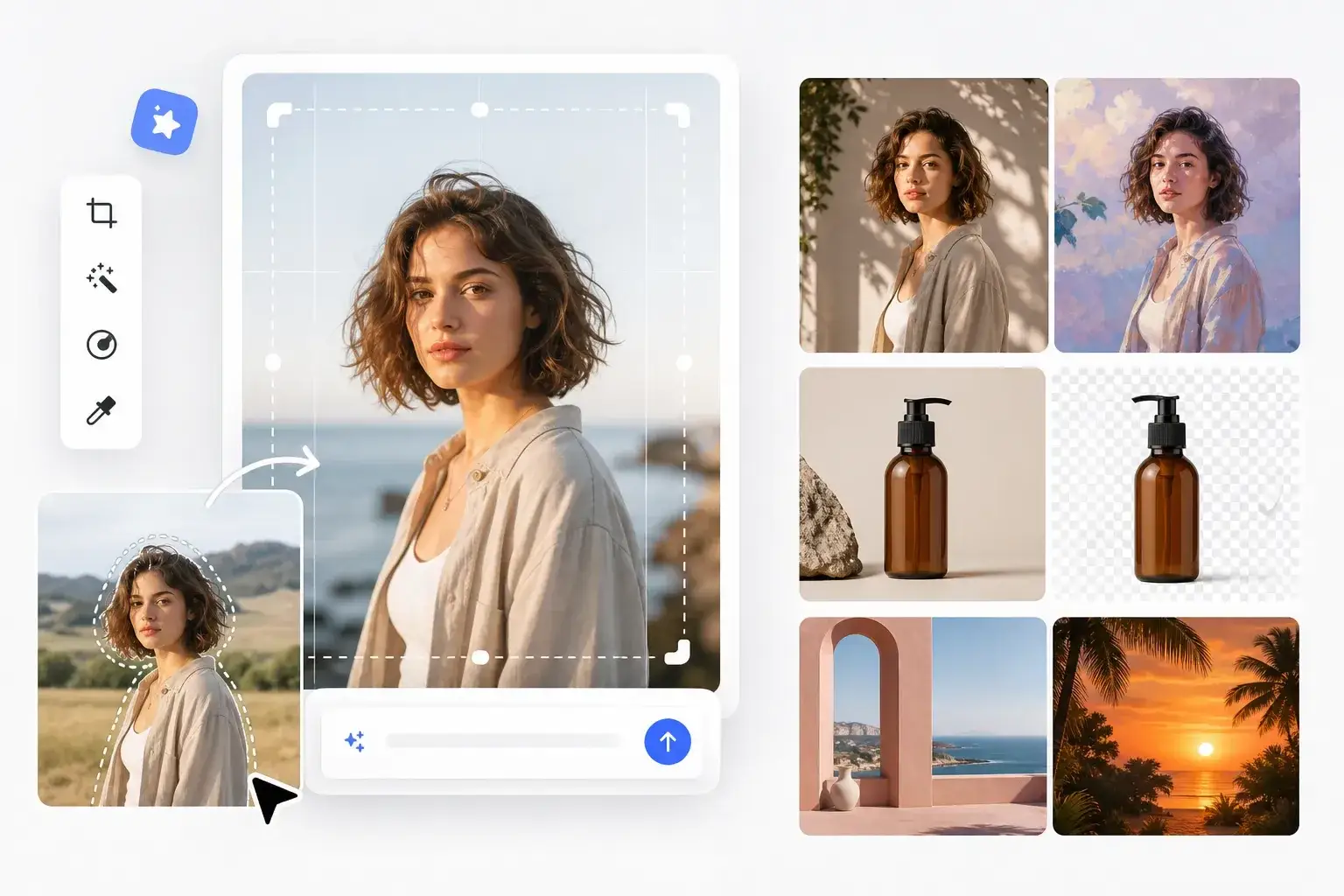
AI image editing examples showing portrait styles, background replacement, and product background removal

Edit Only What You Want with Our AI Image Editor Online

Most AI editors repaint the whole image and hope for the best. Our AI image editor understands specific regions, so you can brighten the eyes, clean up the sky, sharpen a logo, refine a product, or remove unwanted people from the background while keeping the rest of the image unchanged.
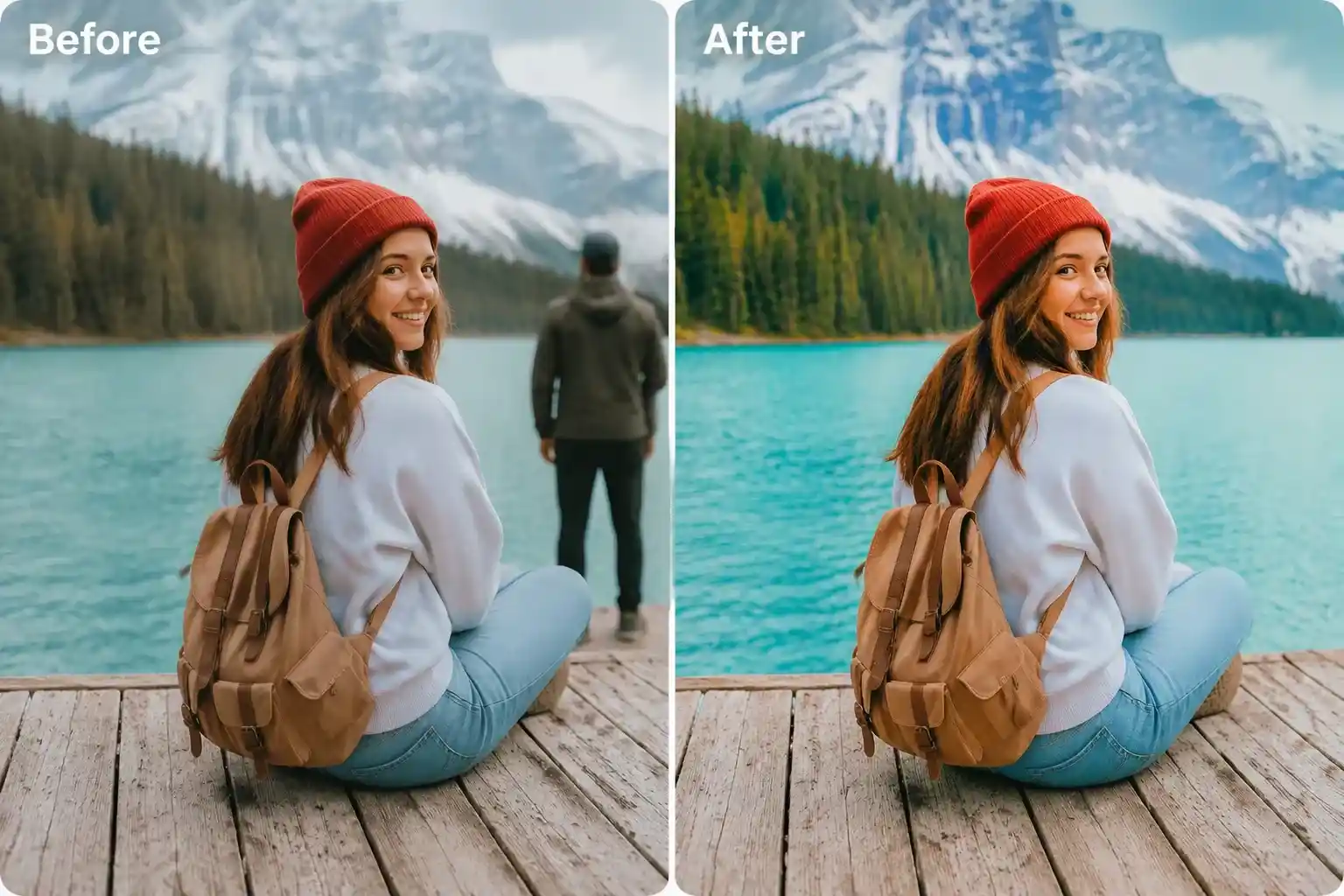
  • Region-aware edits for eyes, skies, products, logos, and unwanted people
  • Consistent characters across poses, outfits, and backgrounds
  • Pair your edit with the image upscaler for print-ready output
AI image editor removing a person from a travel photo

Build On-Brand Visuals with Our Free AI Photo Editor

Turn raw phone photos into polished, on-brand visuals with consistent lighting, clean backgrounds, and accurate typography. Our AI photo editor helps you refine everyday images into campaign-ready assets without spending hours in Photoshop. Make your changes with a simple prompt, then generate variations until you find the version that fits.
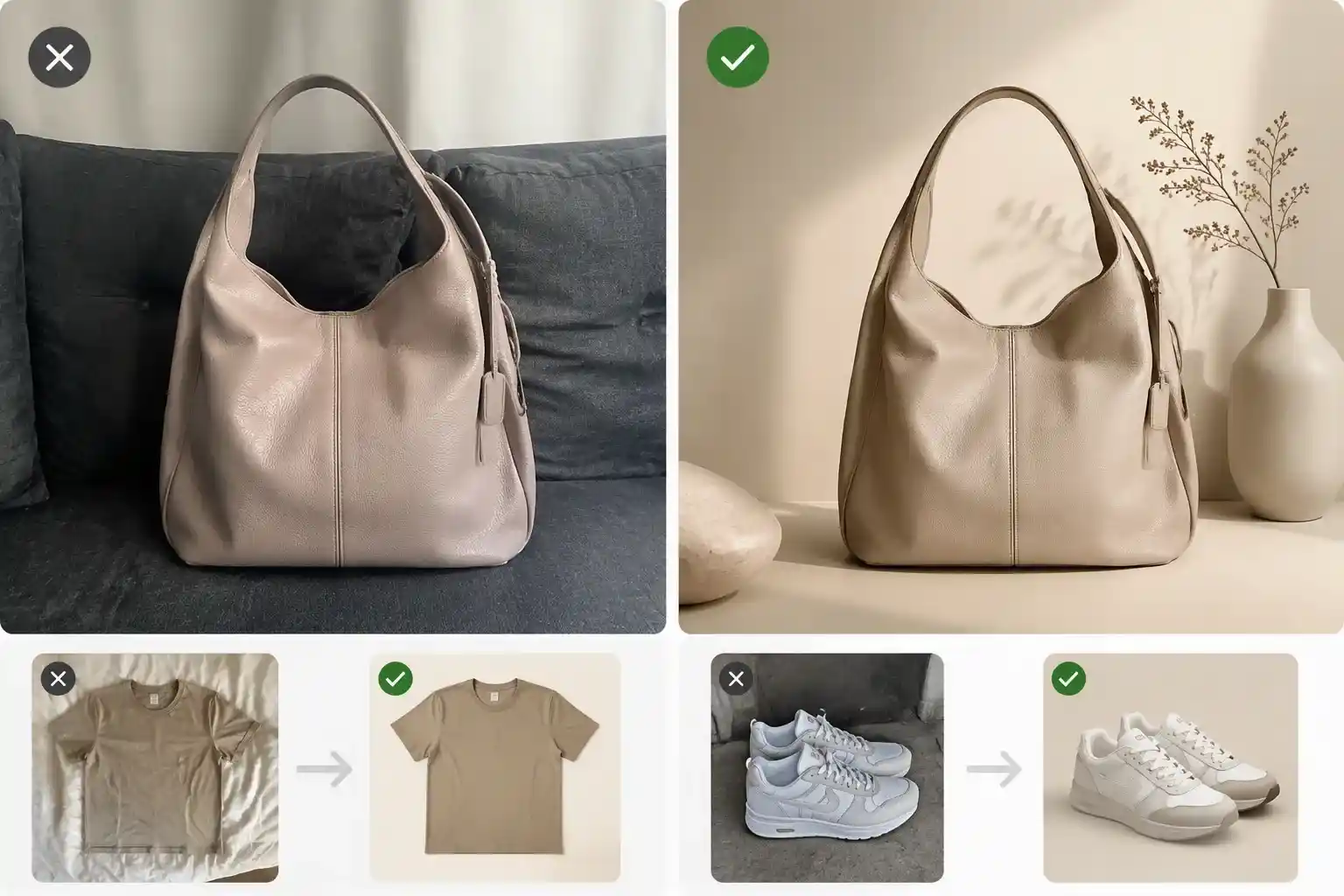
  • Brand-consistent output across full campaigns
  • Batch-friendly workflows for product catalogs
  • Exports ready for Amazon, Shopify, Instagram, and ads
AI image editor for ecommerce product photos

All-in-One AI Photo Editor for Everyday Edits

From object removal and background swaps to retouching and restoration, this AI photo editor handles everyday edits through simple text prompts.

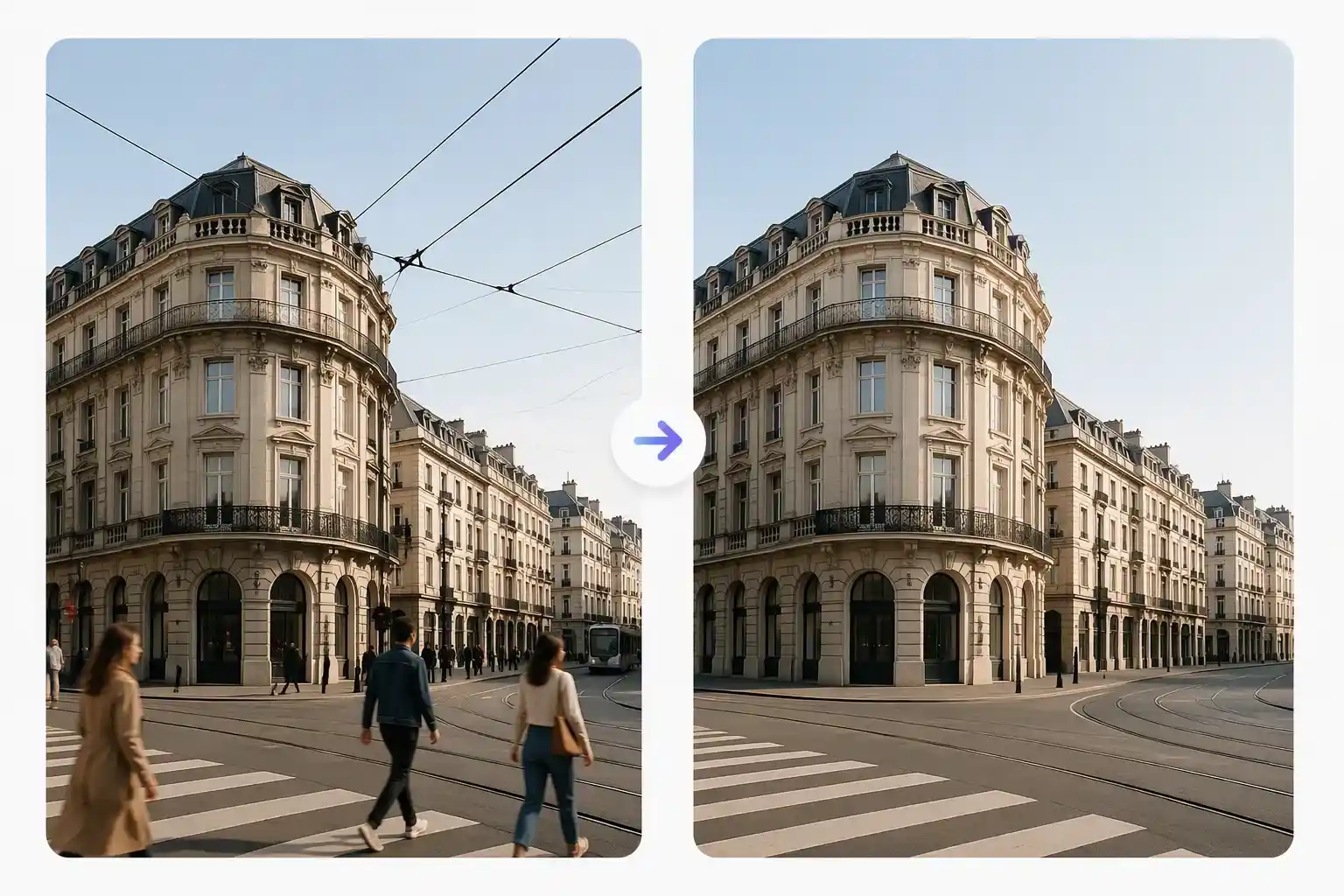
AI photo editor online removing people from a street photo

AI Object Remover

Erase passers-by, wires, logos or blemishes with a prompt. The AI rebuilds the pixels behind — clean, seamless, untraceable.
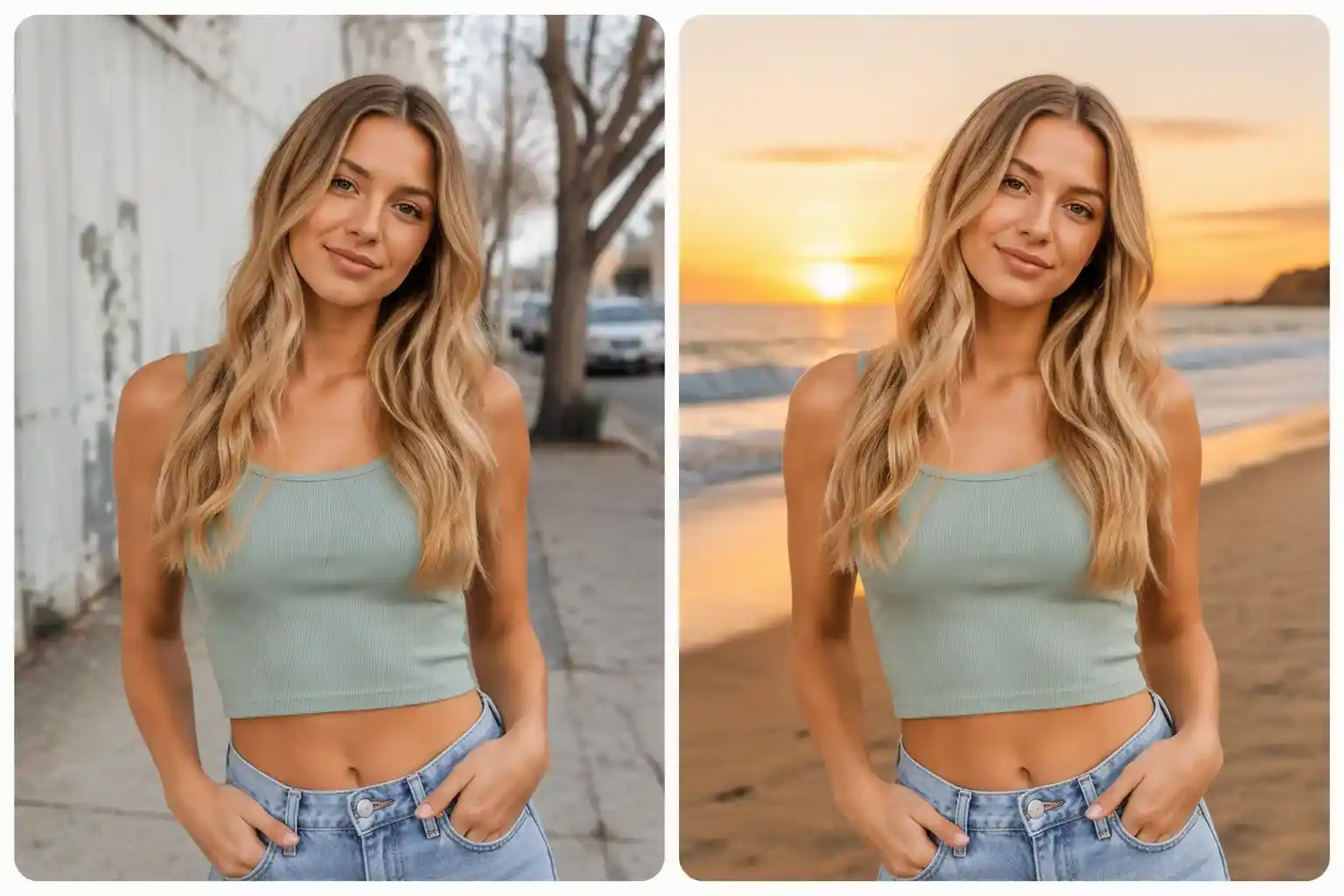
AI image editor changing a portrait background to a beach

Background Replacer

Swap any backdrop for studio white, a sunset beach or your own scene.
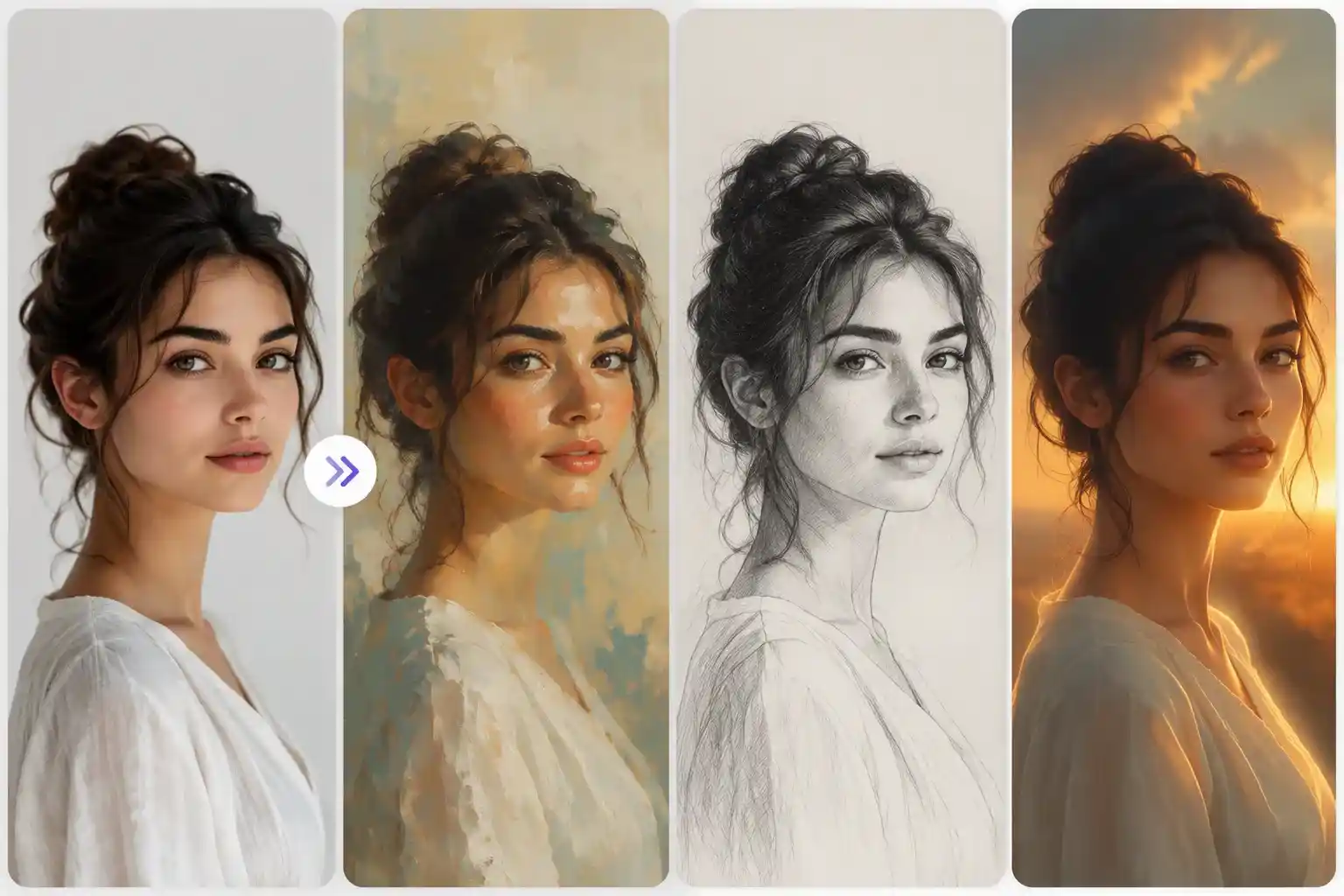
AI photo editor creating multiple portrait styles

Style Transfer

Repaint your photo in the colors, textures and mood of any reference.
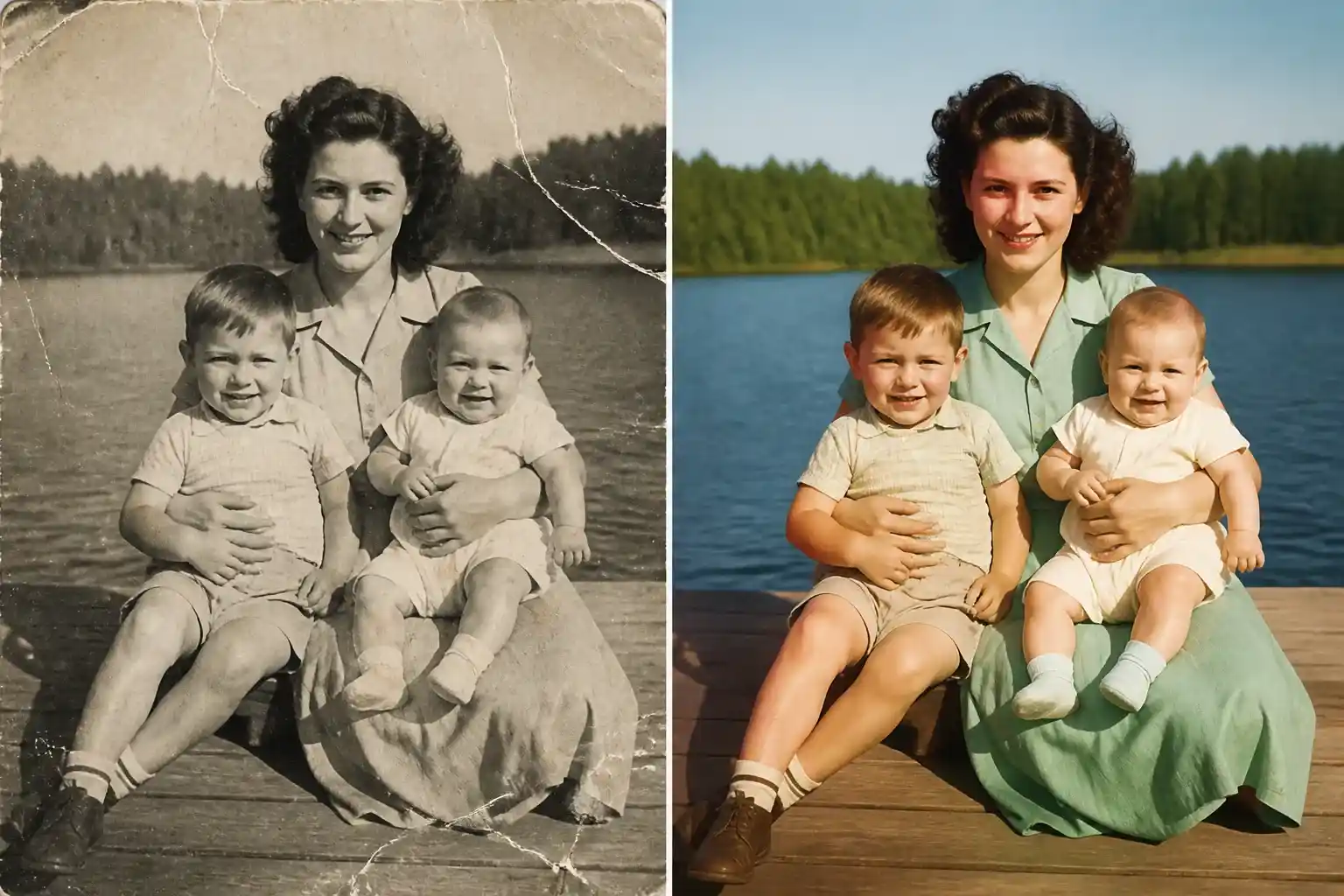
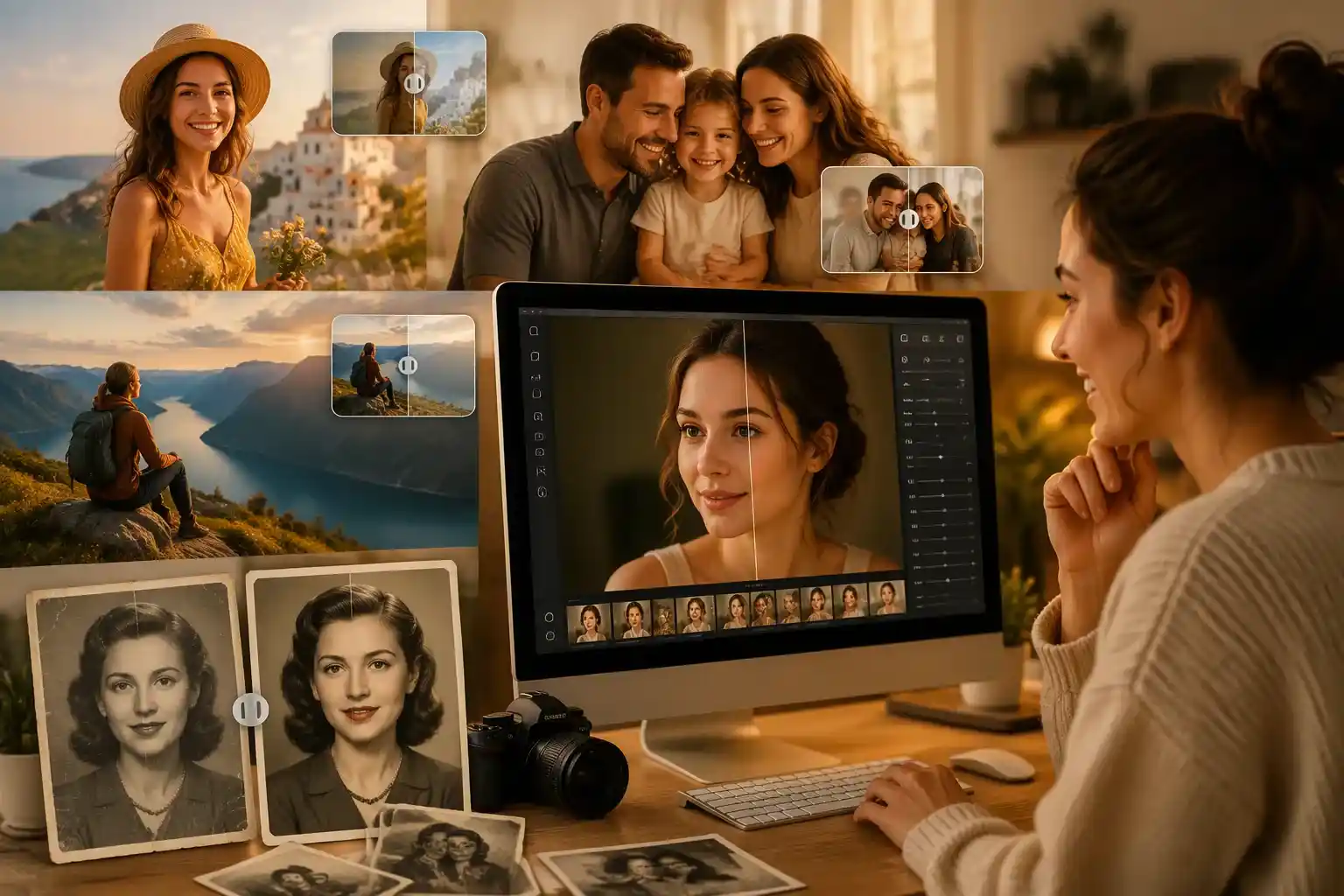
AI image editor restoring and colorizing an old family photo

Old Photo Restoration

Repair scratches, sharpen faded faces and bring old memories back to life.
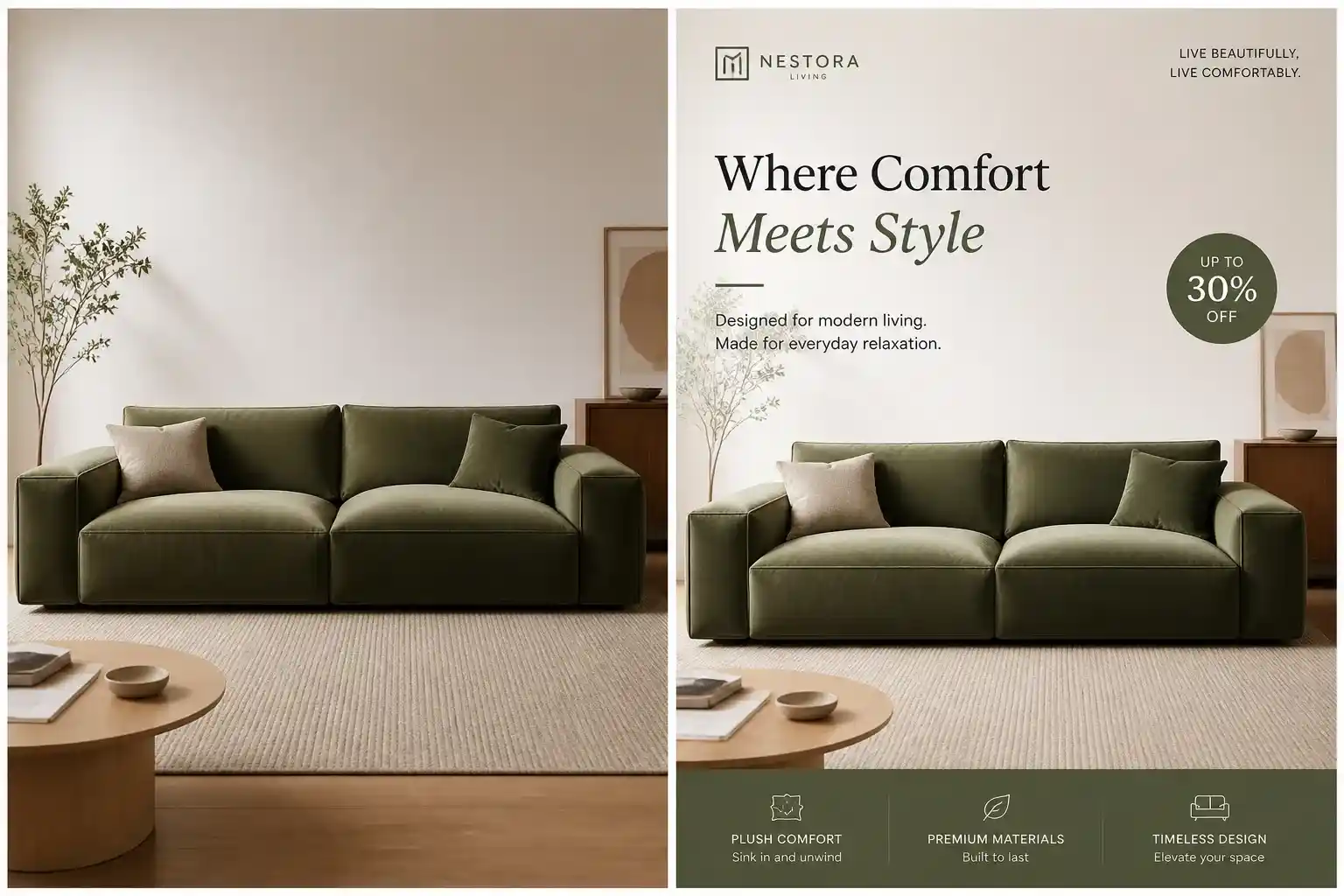
AI image editor turning a product photo into an ad creative

Text-Based Editing

Add captions, watermarks and brand copy that blend into the scene naturally.
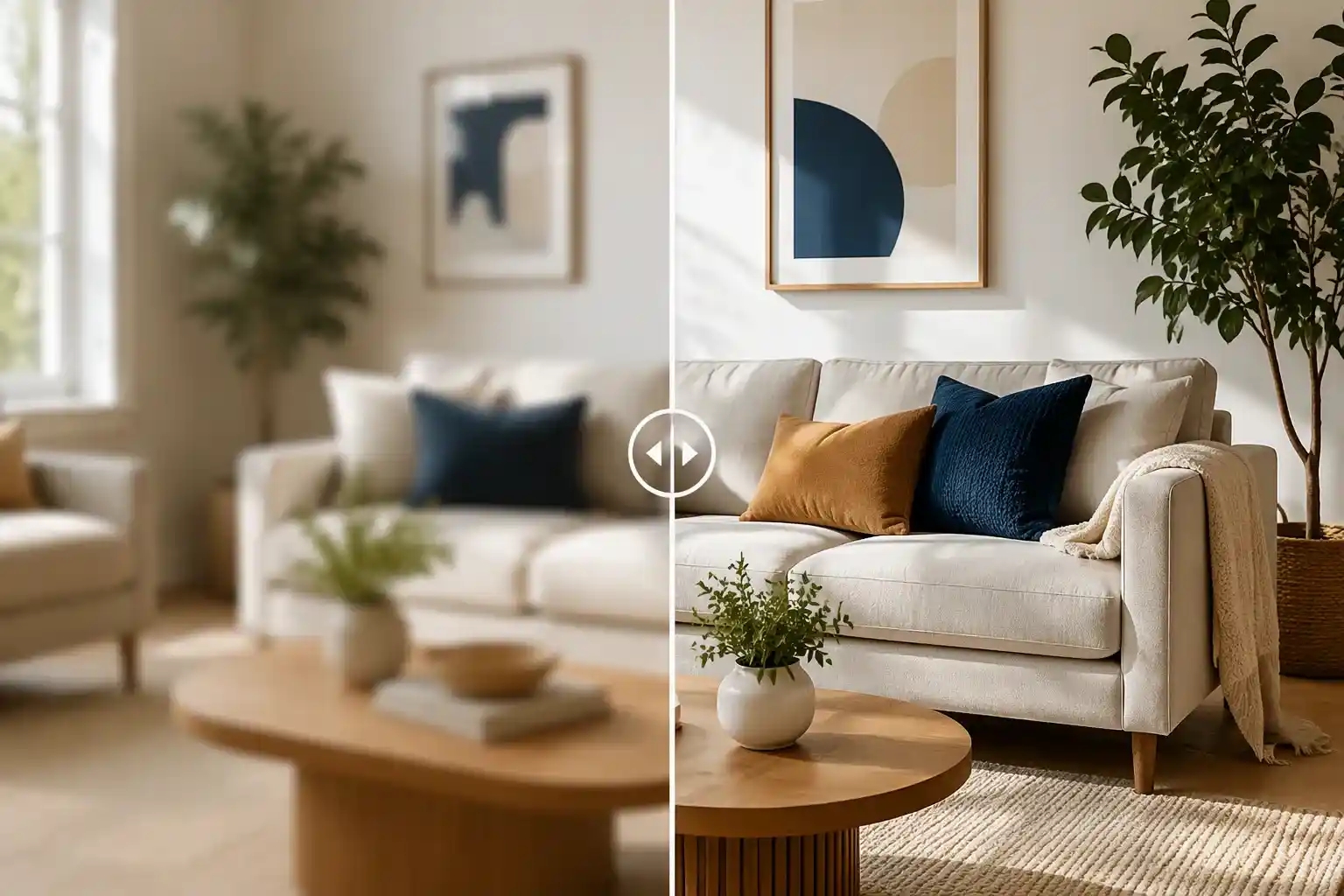
AI photo editor sharpening a blurry living room image

Image Upscaler

Upscale any edit to 4K with recovered detail and crisp, print-ready edges.

Who's Using Our AI Image Editor?

From product listings to social posts and personal photos, our AI image editor helps you create polished visuals faster with simple prompts and easy editing tools.
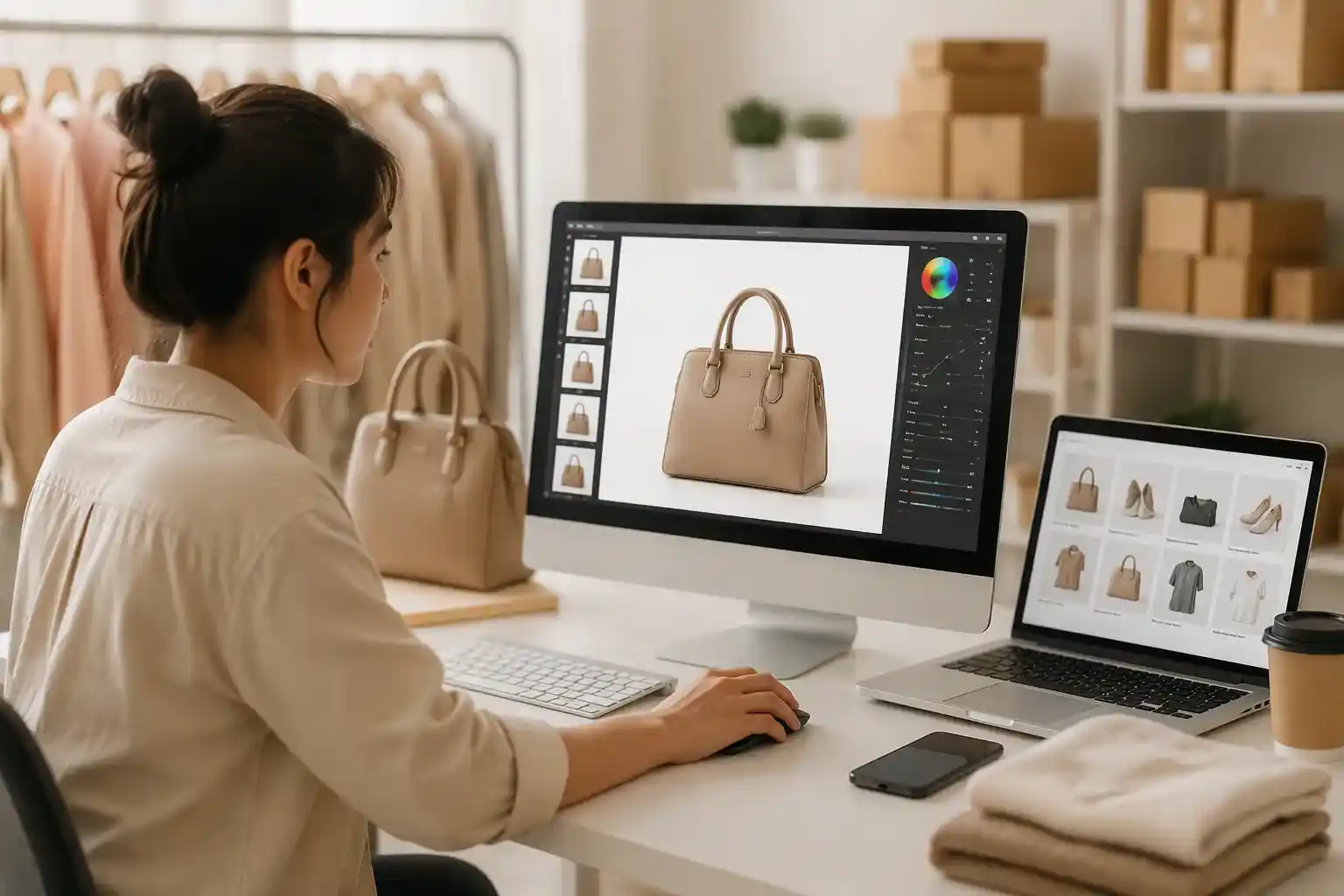
AI photo editor for ecommerce product image editing

E-commerce & Online Stores

Turn everyday product photos into clean, consistent images ready for your storefront. Use the AI photo editor to remove distracting backgrounds, correct colors, improve lighting, and create polished product visuals without rebuilding every image from scratch.

  • Clean white or branded product backgrounds
  • Color, lighting, and shadow adjustments
  • Images ready for Amazon, Shopify, Etsy, and ads

How to Use Our AI Photo Editor Online

No tutorials or complicated tools. If you can describe the change, our AI image editor can help you make it.
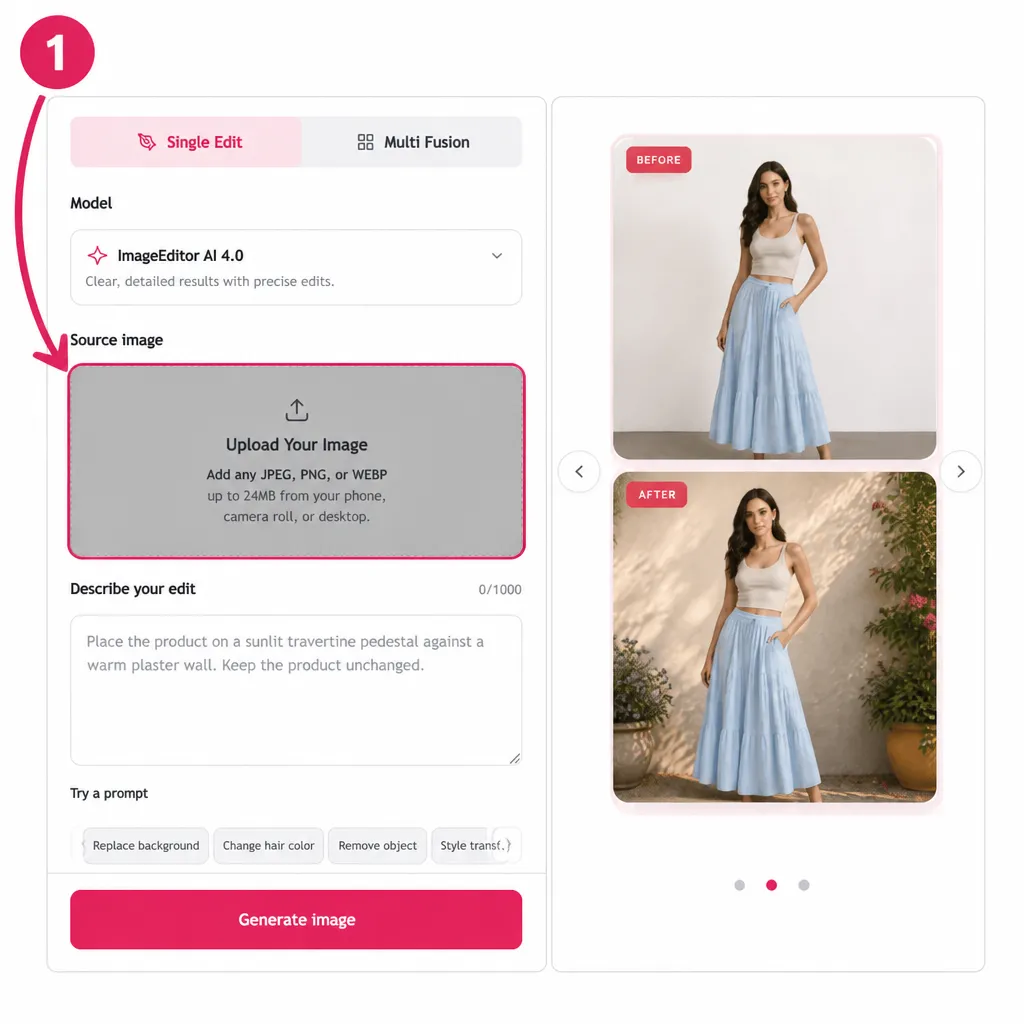
Upload Your Image
Upload a photo

Upload Your Image

Add any JPEG, PNG, or WEBP up to 24MB from your phone, camera roll, or desktop.
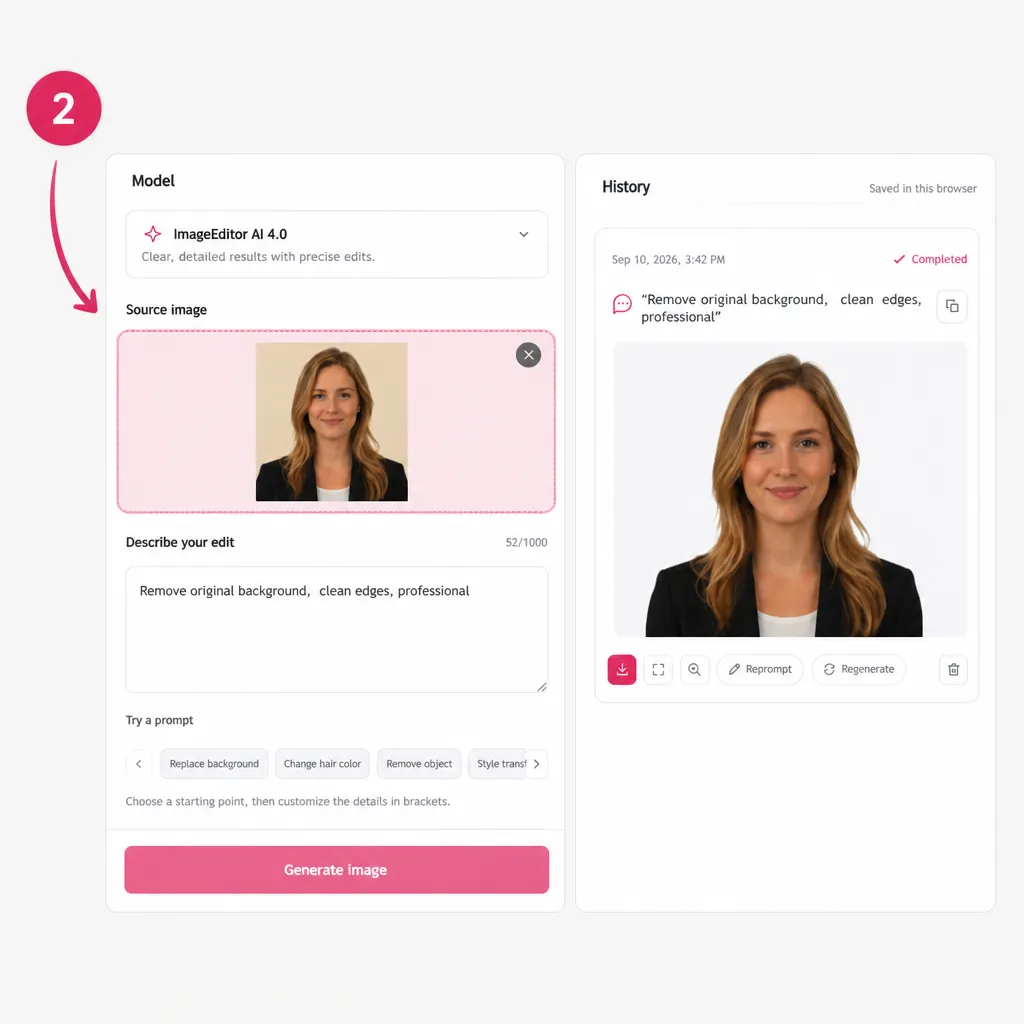
Describe What You Want to Change
Describe your edit

Describe What You Want to Change

Type your edit in plain language, such as "remove the person in the background," "turn this into a beach sunset," or "restore this old photo."
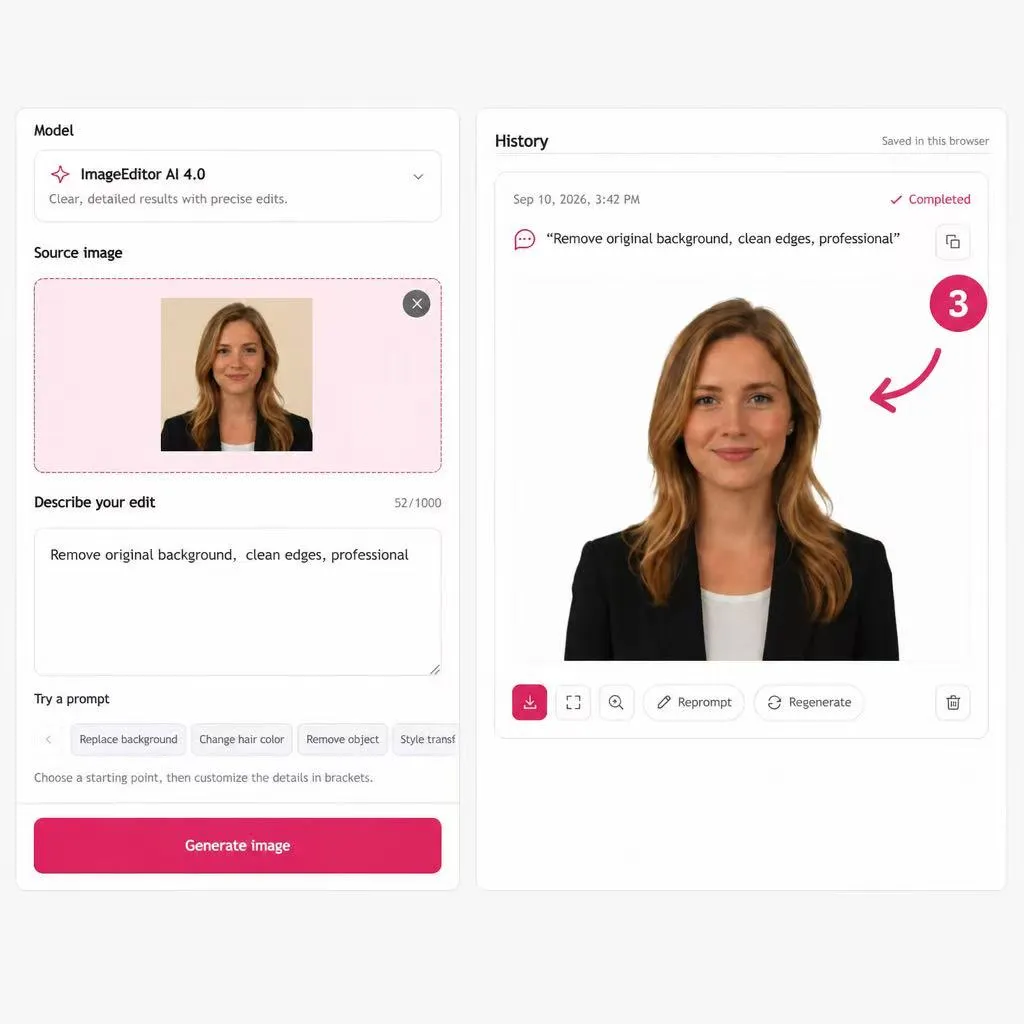
Download Your Result in HD
Save your image

Download Your Result in HD

Get your edited image in seconds, upscale it to 4K when needed, and download the finished result without a watermark.

What People Like About Using this AI Image Editor

See why users choose our AI photo editor for quick, simple, and polished photo edits.
Amelia Stone
Amelia StoneWedding Photographer

"With the AI photo editor, I kept the couple, removed the crowd behind them, and delivered a cleaner image without losing the feeling of the day."

Use case: Object Removal

Ben Carter
Ben CarterOnline Seller

"A clearer background gave my handmade products a more consistent look across the shop."

Use case: Product Photos

Lena Ortiz
Lena OrtizSocial Media Manager

"Starting from one approved image made it easier to create fresh post directions for the same campaign."

Use case: Content Variations

Miles Park
Miles ParkBrand Designer

"The AI image editor online let me change the scene while keeping the product looking real, which made the concept much easier to present."

Use case: Background Change

Chloe Ward
Chloe WardFamily Archivist

"The free AI photo editor helped bring a faded family print back clearly enough to share with relatives who had never seen it properly."

Use case: Photo Restoration
Daniel FoxMarketing Lead

"We had more visual routes to discuss before committing budget to new photography."

Use case: Campaign Assets
Emma Reed
Emma ReedEtsy Seller

"Using the AI photo editor online to remove clutter helped the item read faster when shoppers scrolled through the marketplace."

Use case: Listing Cleanup

Kai Brooks
Kai BrooksContent Creator

"I can describe the fix in the same words I would use when briefing a designer."

Use case: Prompt Editing

Sara Young
Sara YoungBrand Manager

"The images felt more connected across a launch without looking like copies of each other."

Use case: Visual Consistency

Henry Lee
Henry LeePortrait Photographer

"The repaired version gave my client a photograph they were happy to print for their parents."

Use case: Archive Refresh

Priya Das
Priya DasCafe Owner

"With the free AI image editor, I changed a messy backdrop and got a photo that finally suited the menu."

Use case: Menu Visuals

Alex Morgan
Alex MorganUX Designer

"The before-and-after view makes it simple to decide whether a visual is ready to use."

Use case: Fast Review
Jules Kim
Jules KimTravel Writer

"I removed a distraction from a favorite street scene and could focus the story on the place instead."

Use case: Travel Photos
Rafael Cruz
Rafael CruzPaid Media Specialist

"A few scene directions from one source photo gave us stronger options for an early campaign test."

Use case: Ad Variations

Maya Grant
Maya GrantIllustrator

"The AI photo editor helped me try a different atmosphere without abandoning the image idea I began with."

Use case: Style Exploration
Noor Ahmed
Noor AhmedStartup Founder

"For everyday visual fixes, our small team can get from source image to a useful draft with much less friction."

Use case: Daily Workflow
FAQs About Our AI Image Editor

What can our AI image editor do?

Our AI image editor helps you update an existing image with plain-language instructions. Common uses include removing distractions, changing backgrounds, restoring worn photos, refining selected details, and exploring a new style from the same source image.

Is the AI photo editor free to use?

Yes. You can use the free AI image editor without signing up. Upload your image, make your edits, and get your result directly online.

How does AI photo editor online work?

Upload a photo, write the result you want, then review the generated version. A focused prompt such as "remove the person behind the subject" or "make the background clean white" gives the edit a clear direction.

Can our free AI image editor remove objects from photos?

Use a prompt to identify the person, sign, cable, mark, or other element that is pulling attention away from the subject. Always review the completed image closely before using it in a customer-facing setting.

Can AI image editor change or remove a background?

Yes. Start with your original photo and describe the setting you need. This is useful when a product, portrait, or social post needs a cleaner visual focus or a background that better fits its destination.

Can I restore an old family photo with AI photo editor?

AI photo editor can help refresh a faded, worn, or low-detail scan for a family album, a digital archive, or a print. Results vary by the condition of the original, so keep the source file and review the output before sharing.

Can I use our free AI image editor for product images?

It can help prepare cleaner product visuals and explore background options from the source photo you already have. Review every final result to make sure the product remains accurately represented.

Can AI image editor create different styles from one photo?

Yes. Use a written instruction to explore a new mood, color direction, or scene while keeping your original image as the starting point. It is a practical way to compare creative routes before a reshoot or larger production.

What files can I upload?

The supplied interface lists JPG, PNG, and WEBP files up to 24MB. Confirm current upload requirements in the live tool before publishing this information.

Can I use AI photo editor online on a phone?

The online workflow is designed around uploading an image and describing the edit in a browser. Check the live page on your device for current mobile compatibility and feature availability.

How do I get better results from AI photo editor online prompts?

Name the part you want to change, state what should remain, and mention the final use. For example: "Keep the product shape, remove the table clutter, and use a soft white background for a listing."

Are my uploaded images private?

Yes. We treat your uploads and prompts as private. They are processed only to create your result, are not shared with third parties, and are removed automatically according to our retention policy.

Can I use AI-generated images for commercial projects?

Yes. You can use your generated images for business content, including product pages, ads, social campaigns, and brand materials, provided you follow the applicable usage terms and own or have permission to use any source assets.